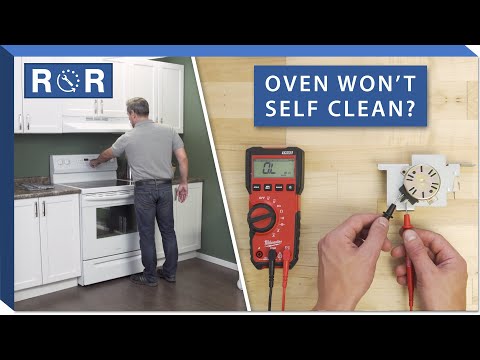
Oven Not Self-Cleaning - Troubleshooting
Oven Not Self-Cleaning? Here's How to Troubleshoot the Problem
The self-cleaning feature on your oven is a modern marvel, turning baked-on grime into easily wiped-away ash. It's a true time-saver and a blessing for anyone who dreads scrubbing their oven. But what happens when this convenient feature suddenly refuses to cooperate? An oven that won't self-clean can be frustrating, leaving you with a messy appliance and a puzzle to solve. Don't despair! Most issues can be traced back to a few common culprits. In this guide, we'll walk you through the essential troubleshooting steps to get your oven sparkling clean again.
Why Your Oven's Self-Clean Feature Matters
Beyond the obvious convenience, a clean oven operates more efficiently and safely. Food residues can lead to uneven cooking, smoke, and even fire hazards. The high temperatures of a self-cleaning cycle incinerate these residues, leaving a clean interior. When this feature stops working, it's not just an inconvenience; it can impact your cooking results and kitchen safety.
Common Reasons Your Oven Won't Self-Clean
Before diving into specific fixes, it's helpful to understand the most frequent reasons an oven might refuse to enter its self-clean cycle:
- Door Latch Malfunction: The self-clean cycle requires the oven door to be securely locked for safety. If the latch mechanism (either mechanical or electrical) isn't engaging properly, the cycle won't start.
- Temperature Sensor Issues: The oven needs to accurately read its internal temperature to control the self-clean cycle. A faulty sensor can prevent it from initiating or completing the process.
- Control Board Problems: The "brain" of your oven, the control board, manages all functions, including self-cleaning. A glitch or failure here can disrupt the cycle.
- Power Supply or Breaker Tripped: Sometimes the simplest solution is the right one. Insufficient power or a tripped breaker can prevent the oven from powering up for the intense self-clean cycle.
- User Error: It's easy to overlook a simple step, like not closing the door completely or having items inside the oven.
Step-by-Step Troubleshooting Guide
Let's get down to business. Follow these steps to diagnose why your oven isn't self-cleaning.
Safety First! Always unplug your oven or turn off its circuit breaker before performing any inspections or repairs that involve reaching inside the appliance or near electrical components. Your safety is paramount.
1. Check the Basics & User Settings
- Is the Door Fully Closed and Latched? This is the most crucial step. The self-clean cycle will not start if the door isn't completely shut and locked. Give it a firm push to ensure it's sealed.
- Any Error Codes? Look at your oven's display. Is it showing an error code (e.g., F1, F3, E0)? Consult your owner's manual for what these codes mean, as they can point directly to the problem.
- Is the Oven Too Hot? Most ovens won't start a self-clean cycle if they're already hot from recent use. Allow the oven to cool down completely.
- Have You Removed Racks and Foil? All oven racks, aluminum foil, and any other accessories must be removed before starting a self-clean cycle. These items can be damaged or cause issues during the high-heat process.
- Correct Cycle Selection: Double-check that you've correctly selected the self-clean function and set the duration (if applicable) according to your oven's instructions.
2. Inspect the Door Latch Mechanism
The door latch is a common point of failure. It's often a small metal hook or an electronic solenoid that engages to hold the door shut during the intense heat of the self-clean cycle. If the latch isn't moving or engaging, the cycle won't initiate.
- Manual Check: Try to manually slide the latch mechanism (if visible) to see if it moves freely. It should engage smoothly.
- Listen for the Latch: When you attempt to start the self-clean cycle, do you hear a click or whirring sound as if the latch is trying to engage? If not, it could be an electrical issue.
- Visual Inspection: Look for any obstructions around the latch, or visible damage to the mechanism itself.
Need a visual guide for a broken door latch? This video provides an excellent walkthrough for diagnosing and repairing a common issue with oven self-cleaning door latches: Broken Door Latch on Oven Self Cleaning Cycle - Repair Guide. It can be particularly helpful if you suspect a mechanical problem with the latch.
3. Examine the Temperature Sensor
The temperature sensor (sometimes called a thermostat probe) is a thin, metallic rod usually located inside the oven cavity, often protruding from the upper left or right rear wall. It sends temperature readings to the control board.
- Look for Damage: Visually inspect the sensor for any signs of damage, such as scorching, corrosion, or if it's come loose from its mounting.
- When to Suspect It: If your oven is cooking unevenly or showing inconsistent temperatures in addition to not self-cleaning, a faulty sensor is a strong possibility. Replacing a temperature sensor can be a DIY task for some, but if you're unsure, it's best to call a professional.
4. Consider the Control Board
If all other components seem fine, the issue might lie with the oven's main control board. This is usually a more complex and costly repair, often requiring a professional.
- Symptoms: Besides self-clean failure, a faulty control board might manifest as unresponsive buttons, incorrect temperature readings, or other intermittent electrical issues.
- Diagnosis: Diagnosing a control board issue often requires specialized tools and knowledge to test electrical signals.
5. Power and Breaker Check
Don't overlook the simplest solution. A self-cleaning cycle draws a lot of power. If your oven is on a shared circuit or if there's a minor fault, the breaker might trip.
- Check Your Electrical Panel: Locate your home's circuit breaker box and identify the breaker for your oven. If it's tripped (usually in an "off" or middle position), flip it completely off and then firmly back to the "on" position.
- Test Other Functions: After resetting the breaker, try other oven functions (like baking or broiling) to confirm the oven has full power.
When to Call a Professional Appliance Technician
While some troubleshooting steps are manageable for the average homeowner, certain repairs are best left to the experts. You should consider calling a professional if:
- You've gone through all the troubleshooting steps and the problem persists.
- You're uncomfortable working with electrical components or disassembling parts of your oven.
- The issue seems to stem from the control board or internal wiring.
- Your oven is displaying complex error codes you can't decipher from the manual.
Preventative Maintenance Tips
To keep your oven's self-cleaning feature (and the oven itself) in top shape:
- Wipe Up Spills Promptly: Don't let spills bake on over multiple uses. A quick wipe-down after the oven cools can prevent heavy build-up.
- Avoid Harsh Chemicals: Never use chemical oven cleaners inside an oven designed for self-cleaning. The fumes can be dangerous, and the chemicals can damage the oven's enamel.
- Don't Force the Latch: If the door latch feels stiff, don't force it. Investigate the cause to prevent damage.
A clean oven is a happy oven, and a functioning self-clean feature makes maintaining it a breeze. By following these troubleshooting steps, you'll likely identify and resolve the issue, bringing back the convenience and efficiency of your appliance. If the problem persists, remember that professional help is always available to get your kitchen back in perfect working order.